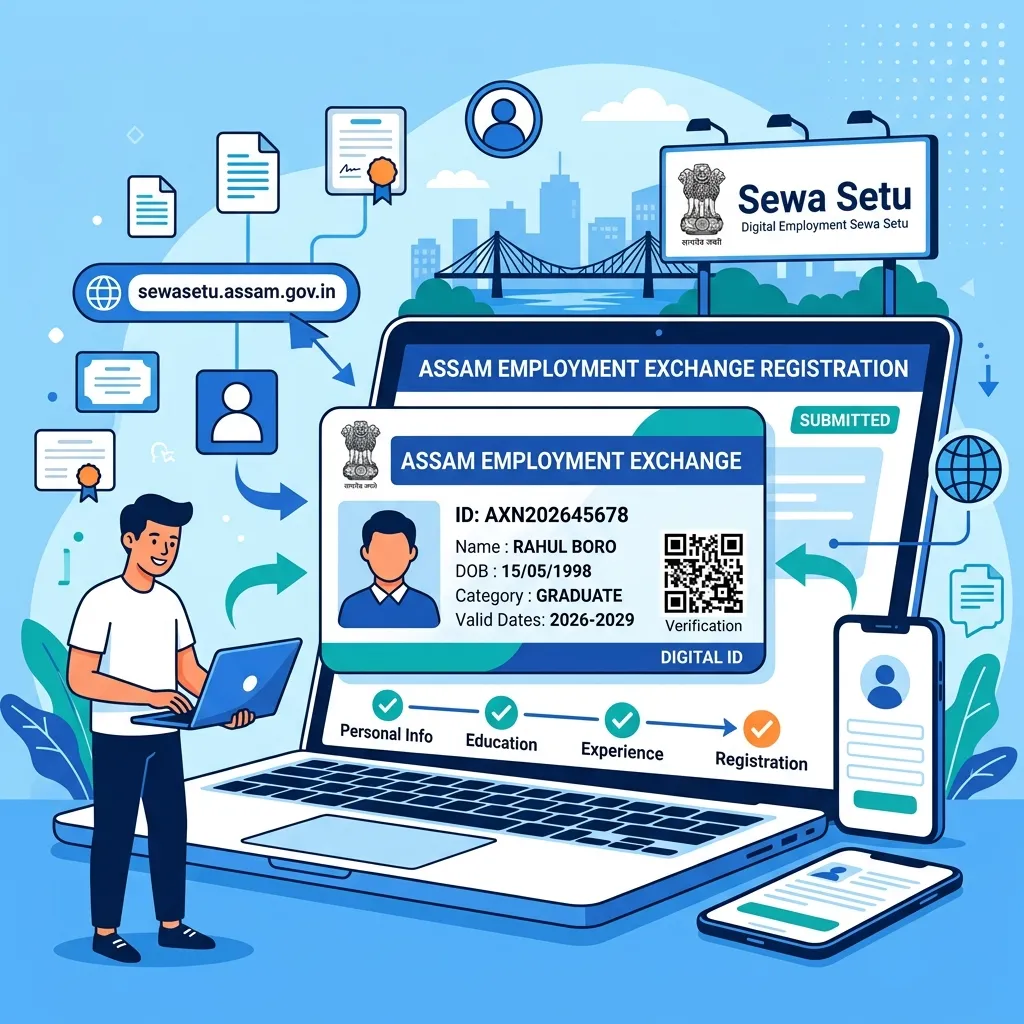
Welcome back! If you plan to apply for any government job in Assam — whether it is Assam Direct Recruitment (ADRE) Grade 3 and Grade 4, police constable posts, health department recruitment, or the new CMAAA 3.0 business grant — your Employment Exchange Registration Card is non-negotiable. Without an active 16-digit registration number, the state recruitment portal rejects your application before you even upload your photo. But before you pay ₹250 to a cyber cafe operator, hear this: the entire registration and e-card download on the government's Sewa Setu portal is 100% free. We spent time walking through the digital verification steps with District Employment Exchange officers. Here is your unvarnished, street-smart guide to registering online, downloading your instant digital card PDF, fixing Aadhaar pending delays, and completing your 3-year renewal without running around district offices.
The Assam government has completely transformed the old manual employment exchange system. The days of standing in humid queues with stamped paper cards in district towns are officially over. Under the Directorate of Employment and Craftsmen Training, all job seeker registrations are managed digitally on Sewa Setu with live Aadhaar validation. When you register with your Aadhaar card, the portal generates a tamper-proof digital certificate featuring an encrypted QR code and your unique registration number in under ten minutes.
Let us walk through who needs this card, how to download your PDF instantly, and how to fix common profile errors that trip up job seekers across Assam.
IS THE ASSAM EMPLOYMENT EXCHANGE CARD STILL MANDATORY IN 2026?
Yes, 100%. If you are eyeing any Assam government post—whether that is ADRE Grade 3, Grade 4, police constable, or a CMAAA business grant—you cannot skip this card. The job portal will shut you out the second you try submitting without an active 16-digit registration number.
Why does Assam take this so seriously? Simple: the state wants to make sure government jobs go strictly to permanent local residents. When you submit your application through SLRC or APSC, their computers talk to the Sewa Setu database in real time. They check three things instantly: is your card active, is your home district in Assam, and do your marks match the minimum requirements? If your card lapsed last month, your whole job application gets blocked on the spot.
If you are also exploring self-employment grants, remember that holding an active card is mandatory to qualify for the CMAAA 3.0 ₹2 Lakh to ₹5 Lakh business aid.
📋 Sewa Setu Employment Exchange Snapshot (2026)
| Official Portal: | Sewa Setu Assam (sewasetu.assam.gov.in) |
|---|---|
| Registration Fee: | ₹0 (100% Free Govt Service) |
| Certificate Validity: | 3 Years from Issue Date (60-Day Grace Period) |
| Primary Verification: | Aadhaar e-KYC & Mobile OTP |
| Official Web Link: | sewasetu.assam.gov.in ↗ |
STEP-BY-STEP: HOW TO REGISTER & DOWNLOAD YOUR EMPLOYMENT CARD PDF
You can grab your digital Employment Exchange card straight from sewasetu.assam.gov.in without stepping out of your house. Just log in with an OTP sent to your phone, let Aadhaar e-KYC auto-fill your personal identity, type your school qualifications, and download the approved certificate PDF straight to your phone storage.
You can finish the entire registration right from your smartphone in under ten minutes without paying a cyber cafe a single rupee.
Grab your phone, open Chrome, and head straight to sewasetu.assam.gov.in. Tap Login in the top corner, punch in your 10-digit mobile number, and type the OTP that pops up on your screen. In the services search bar, type "Employment Seeker" and tap the option for registering in the employment exchange.
Always choose Aadhaar Based Registration—it is five times faster than manual typing. Type your 12-digit Aadhaar number and submit the OTP from UIDAI. The screen pulls your full name, father's name, birthday, and village address straight from the central server without spelling mistakes. After that, enter your education details from Class 10 onward, noting your roll numbers, passing years, and boards. Do not forget to add any computer diplomas, ITI certificates, or typing speeds.
Next, upload clear phone photos of your Class 10 admit card for age proof, your highest qualification marksheet, and a recent passport photo. Once you tap Submit, Aadhaar-verified profiles approve almost instantly. Head over to My Applications, hit the green button to download your digital certificate PDF, and save it right to your phone or Google Drive.
*Official Government Service Delivery Portal of Assam
HOW TO RESOLVE THE "AADHAAR LINK PENDING" ERROR
The Aadhaar Link Pending error occurs when your name spelling or date of birth on Aadhaar differs from your Class 10 HSLC certificate. To resolve it, upload a unified identity affidavit or visit your local District Employment Exchange office with original certificates for manual clearance.
This error stops thousands of job seekers from getting their cards on time. The table below lists the common portal errors and the exact fix for each:
Do not create a second account with a different phone number if you get stuck, because the system tracks your Aadhaar and will lock both records. If your file is stuck for more than 15 days, carry your printed acknowledgment receipt and original certificates to your District Employment Exchange office for manual verification.
3-YEAR RENEWAL & RE-REGISTRATION RULES (AVOID LOSING SENIORITY)
Employment cards expire exactly 3 years from the date of issue. Job seekers receive a 60-day grace period to renew online through Sewa Setu. If renewed on time, your continuous seniority on the state job-seeker register remains protected.
Many candidates forget about their card until an exam notice drops, only to find their registration has lapsed. Understanding your renewal timeline keeps your career on track:
Check the top right corner of your downloaded PDF certificate, where your Next Renewal Due Date is clearly printed. You can renew your card up to 30 days before it expires or within the 60-day grace window after the due date without losing seniority.
When renewing on Sewa Setu, you can also add any new degrees, diplomas, or computer certificates earned over the past three years to make your profile eligible for higher grade posts. If you still hold an old manual paper card issued before September 2021, remember that paper cards are no longer recognized in any recruitment exam — you must complete digital re-registration on Sewa Setu right away.
SPECIAL OFFLINE ANNEXURE & INTER-DISTRICT TRANSFER
If you get married or shift your permanent residence to another district in Assam, you can transfer your registration to your new district employment exchange. You can initiate this on Sewa Setu by selecting the Inter-District Transfer service, attaching your marriage certificate or new Gaon Panchayat address proof.
If you need help preparing formal representation letters for the employment officer, you can use our free Assamese Application Writing Tool to draft official letters in clear Assamese or English.
For more self-employment programs and business grants across the state, browse our Assam self-employment schemes directory.
FAQ:-
How long is the Assam Employment Exchange registration card valid?
It lasts for exactly three years from the date it is issued. You also get a 60-day grace period after your renewal date to update your details online without losing your seniority rank.
What is the fee to register and download the card on Sewa Setu?
Zero. Not a single rupee. The Assam government provides this service 100% free of charge. Never pay a broker or cyber cafe extra cash for what takes five minutes on your phone.
Can you apply for ADRE if your Employment Exchange card has expired?
Nope. The recruitment portal checks your number live against the government database. If your card has expired, your application gets rejected instantly. Renew it on Sewa Setu first before opening the recruitment form.
Is physical document verification required after online registration?
Not if you use Aadhaar OTP. Your digital card generates immediately on your screen. You only have to visit the physical district office if your name on Aadhaar does not match your matric admit card.
Can you register if a family member receives Orunodoi payments?
Yes, of course. Registering as an employment seeker has nothing to do with welfare schemes. Having a mother on Orunodoi or holding a family ration card will never affect your job seeker card.