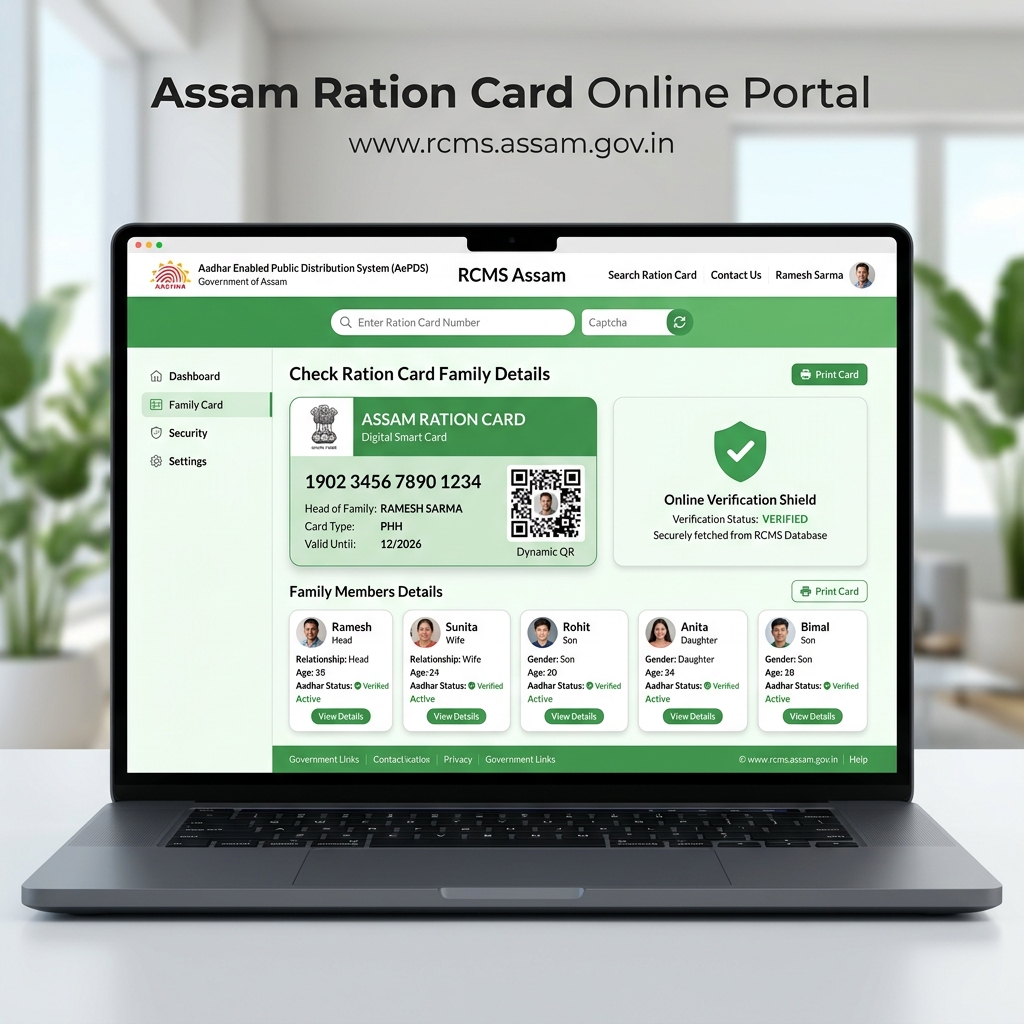
Welcome back! If you are not completely sure which family members are officially registered on your Assam ration card right now, you need to check this today. Under the National Food Security Act (NFSA), every single verified person on your card brings in 5 kg of free monthly rice. Even more importantly, here in Assam, your ration card is the master document required for your family to get ₹5 Lakh free hospital treatment under Ayushman Asom. If your child or newly married daughter-in-law is missing from the computer ledger, hospitals will reject their free care during a medical emergency. Before you pay ₹50 to a cyber cafe, know that you can pull up your complete family roster right on your phone in under two minutes for zero rupees. Here is our completely honest, play-tested guide.
📋 Family Details Check Snapshot (2026)
| Official State Portal: | RCMS Assam (rcms.assam.gov.in) |
|---|---|
| Mobile App Alternative: | "Mera Ration" App (Central Government) |
| Information Shown: | Full Names, Ages, Relationships & Aadhaar Seeding |
| Official Fee: | ₹0 (100% Free Public Service) |
| Direct RCMS Link: | rcms.assam.gov.in ↗ |
Why checking your family member list online protects your benefits
Checking your Assam ration card family details online confirms that every family member is officially registered, protects each person's 5 kg monthly free rice quota, and guarantees uninterrupted access to ₹5 Lakh cashless hospital treatment under Ayushman Asom.
A lot of families assume that because someone's name was scribbled on their old paper booklet, they are automatically in the government computer database. That is a dangerous mistake. During the state-wide digitization drive, members who missed biometric thumbprint scans were marked "Unseeded" or dropped into pending bins. If a family member falls sick and needs hospital admission, government hospitals in Guwahati, Dibrugarh, or Silchar check the live RCMS server before approving the ₹5 Lakh cashless cover. If that person is not active on the screen, you are forced to pay out of pocket.
How do you check your ration card family details online?
To check your Assam ration card family details online, visit rcms.assam.gov.in, select "Ration Card Details", enter your 12-digit Ration Card ID, or use the "Mera Ration" app with your 12-digit Aadhaar number to view your complete household roster and Aadhaar seeding status.
You have two reliable, zero-cost paths right on your smartphone:
Option 1: Through the RCMS Assam Portal (Browser Method)
If you are using Google Chrome or any browser on your smartphone, head straight to the official portal at rcms.assam.gov.in. On the main page, tap the citizen services menu and choose "Ration Card Details" or "Know Your Ration Card".
Type your 12-digit Ration Card number into the query box—making sure you enter each digit without accidental spaces. Enter the quick security captcha letters and tap Submit. Within seconds, your complete family file displays on your phone screen, listing every registered individual, their exact age, gender, relation to the household head, and whether their UIDAI Aadhaar seeding is approved or pending.
Option 2: Through the "Mera Ration" Mobile App (Fastest Aadhaar Lookup)
If you don't remember your ration card number, using your Aadhaar number inside the central government's official "Mera Ration" app is even faster. Install the app by the National Informatics Centre (NIC) from the Google Play Store, open it up, and tap the "Aadhaar Seeding" or "Know Your Entitlement" box right on the home screen.
Choose "Aadhaar Number" and enter the 12-digit Aadhaar of ANY family member listed on the card. The app instantly connects with the national NFSA server and pulls up your entire Assam household roster, showing exactly who has a clear green "Yes" next to their name and who is marked with a red "No".
💡 Don't Have Your 12-Digit Ration Card Number?
If you misplaced your card number, you can easily look it up by downloading your village-wise ration card PDF through your Fair Price Shop dealer code.
Understanding member verification statuses on the dashboard
Ration card member verification statuses tell you whether each person's Aadhaar biometric scan is verified. Seeded means full rice quotas and hospital care are active; Unseeded means biometric scans are pending; and Deleted means the person was removed from the live register.
When your family screen opens up, do not get confused by the status labels next to each name. Here is what they actually mean in plain language:
If a name shows "Seeded" or "Verified" with a green badge, you are all set. That person's thumbprint is verified with UIDAI, their 5 kg monthly free rice is secure, and their name is fully active for ₹5 Lakh free medical care under Ayushman Asom.
If a name shows "Unseeded" or "Pending" in red, their biometric thumbprint scan is missing from the state database. That person's grain share stays blocked. You need to take their physical Aadhaar card to your local Fair Price Shop dealer to scan their finger on the e-PoS terminal.
If a name displays "Deleted" or "Inactive", the food department took that individual off your family card—usually following marriage, migration to another district, or duplicate cleaning. If an active family member was removed by clerical mistake, visit your local Block Development Office with their Aadhaar to file an inclusion appeal.
📊 Member Verification Status Breakdown
| Status Displayed | What It Means for Your Family | Action You Need to Take |
|---|---|---|
| Seeded / Verified (Yes) | Aadhaar is linked and biometric data is authenticated with UIDAI. | Zero action needed. This person gets their full 5 kg grain quota. |
| Unseeded / Pending (No) | Aadhaar is missing or thumbprint scan failed on the dealer terminal. | Take their Aadhaar card to your local FPS dealer for e-KYC biometric linking. |
| Deleted / Inactive | Member removed during village verification or shifted after marriage. | If this was done in error, file an inclusion application at your BDO office. |
How to add a newborn child or newly married bride to your card
To add a new family member to your Assam ration card, submit an offline inclusion form (Proforma-C) at your local Gaon Panchayat or Sub-Divisional Food and Civil Supplies office along with their Birth Certificate or Marriage Certificate and Aadhaar card.
Beware of shady cyber cafes or roadside agents promising that they can "add anyone online in 5 minutes" for a ₹200 fee. In Assam, adding someone to an NFSA ration card requires physical verification through official administrative channels.
Start by collecting the free inclusion form—known locally as Proforma-C—from your Gaon Panchayat Secretary or your Sub-Divisional Food and Civil Supplies office. Fill in the new member's particulars and attach clean photocopies of their Aadhaar card, your family's existing Ration Card, and proof of relationship. For a newborn or young child, attach their official Birth Certificate; for a newly married daughter-in-law, attach her Marriage Registration Certificate alongside a surrender slip from her parents' ration card.
Hand the application packet directly to your Panchayat Secretary or local Food Inspector, and insist on getting a stamped acknowledgment slip. The block administrative desk verifies the documents and updates the live RCMS ledger within 30 to 45 working days, after which the new name will appear right on your screen.
🔗 Read Also: Key Welfare Guides
- Need to complete thumbprint scans? Read our guide on How to Complete Ration Card e-KYC in Assam.
- Want to see your dealer's quota? Check the Assam Ration Card New List 2026 Guide.
- Ration card needed for medical care? Review the Ayushman Asom ₹5 Lakh Card Download Guide.
FAQ:-
Can I check my ration card family details using my Aadhaar number?
Yes, absolutely. Download the central government's official "Mera Ration" app on your phone. Tap "Aadhaar Seeding", type in the 12-digit Aadhaar of ANY family member on your card, and your entire household roster opens right up.
Why is my child's name marked as "Unseeded" on the portal?
It means their Aadhaar biometric linking has not synced with the food database yet. Walk over to your local ration shop with the child's Aadhaar card and ask the dealer to run their finger across the e-PoS glass scanner.
Can I save or download my family details as a PDF?
Yes, easily. When your family list loads on rcms.assam.gov.in, tap your phone browser's three-dot menu, select "Print", and choose "Save as PDF" to keep an official digital copy on your phone.
What should I do if a family member is missing from the online list?
Don't panic, but don't ignore it either. Grab your physical ration card and that person's Aadhaar card. Walk into your local Gaon Panchayat or Block Development Office and ask the food civil supplies desk to correct the ledger.
Have a family member showing as unseeded or struggling to find your card on RCMS? Drop your block or district name below, and our testing desk will help you check the right steps!